
Overview
- This outlines the procedure for granting admin access to indeed@yellowstonelocal.com.
- By following these steps, you ensure that the process of granting admin rights is both efficient and secure, maintaining operational integrity while facilitating necessary external collaborations.
If you’re not logged in yet
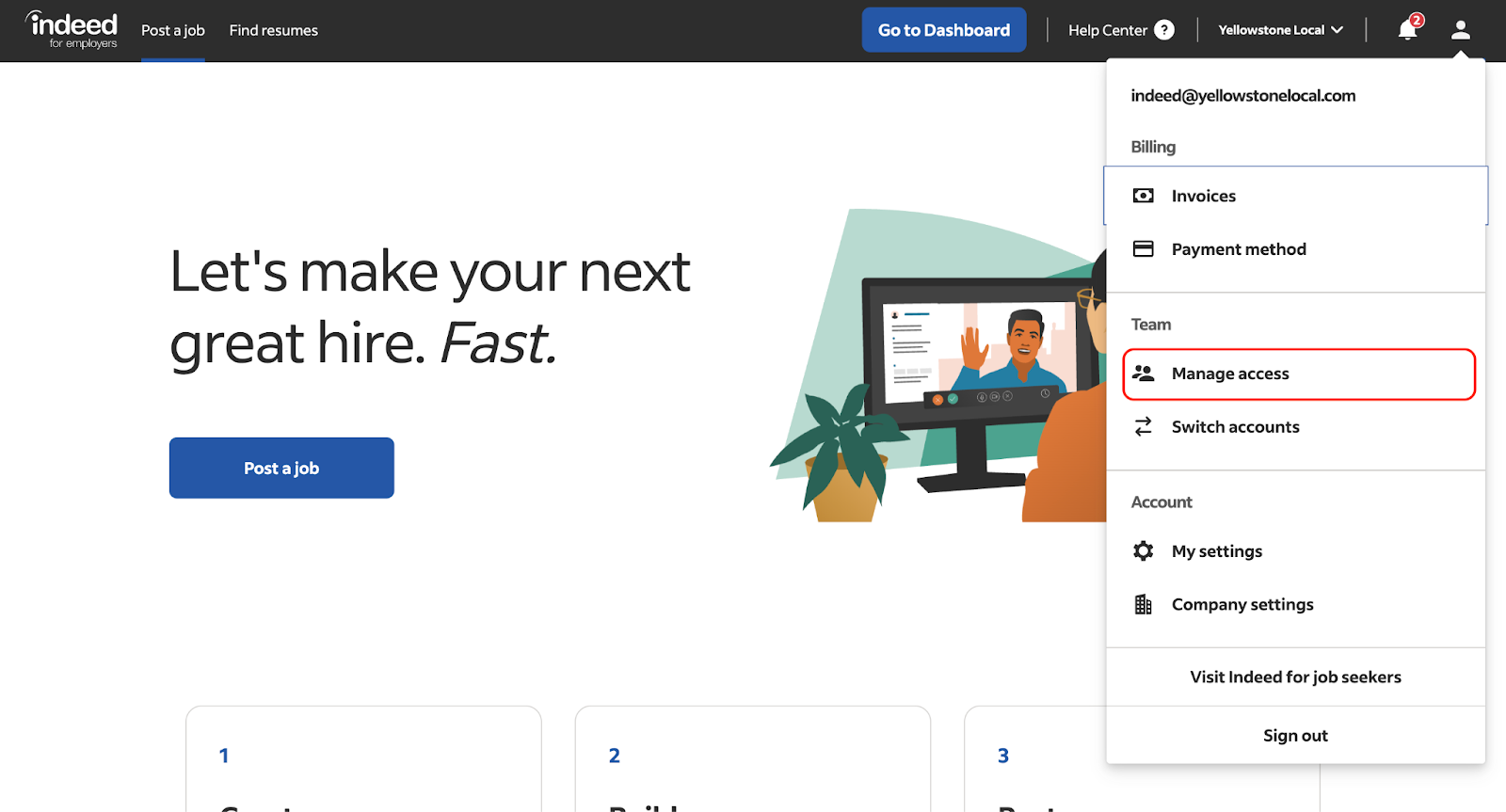
- Log in to your Employer Indeed account
- Click on the User Icon

- Choose Manage Access
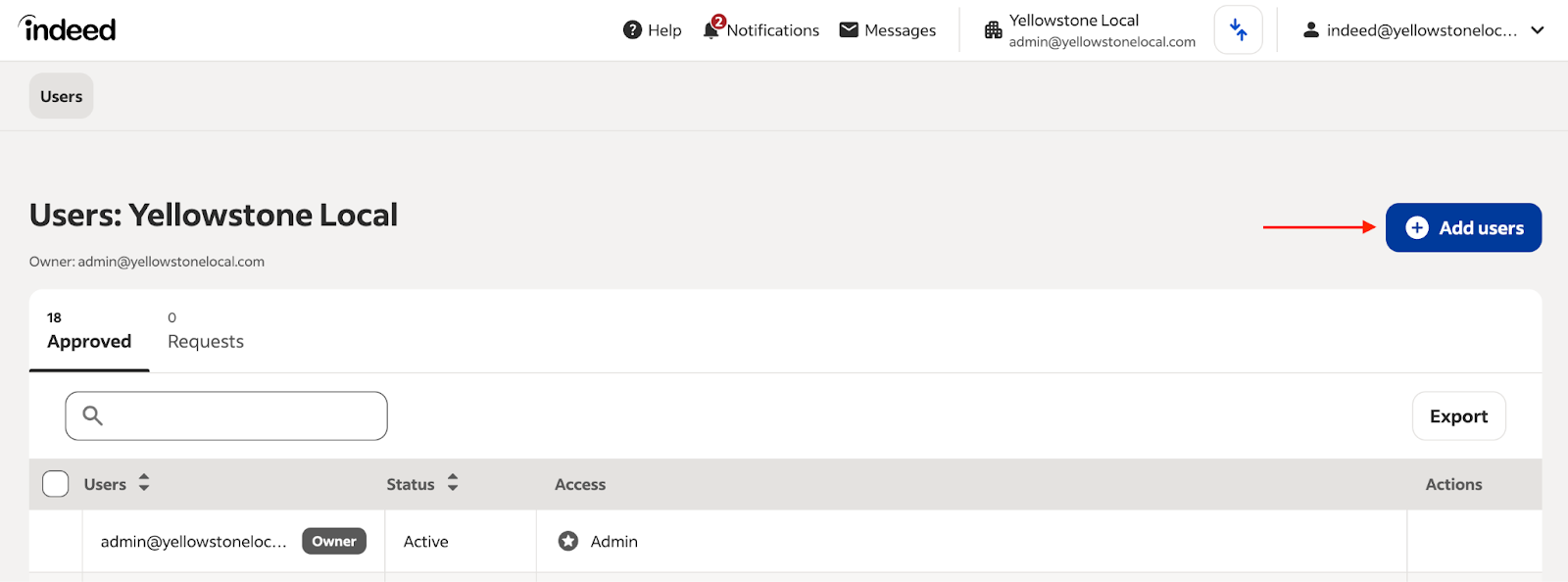
- Click the blue button that says Add Users
- Add our email indeed@yellowstonelocal.com, and give our user Admin access
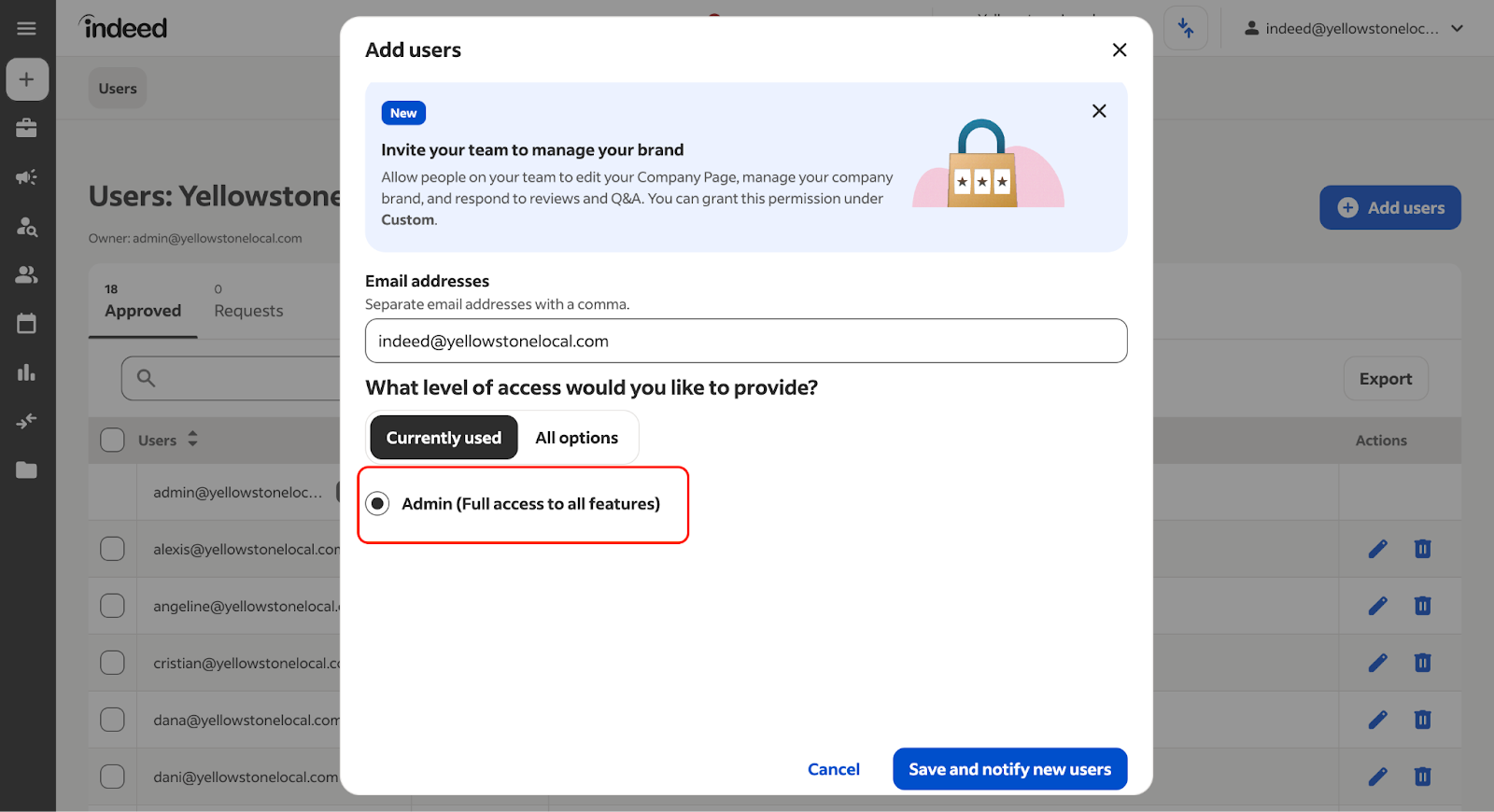
- Click Save and notify new users.
If you’re already logged in
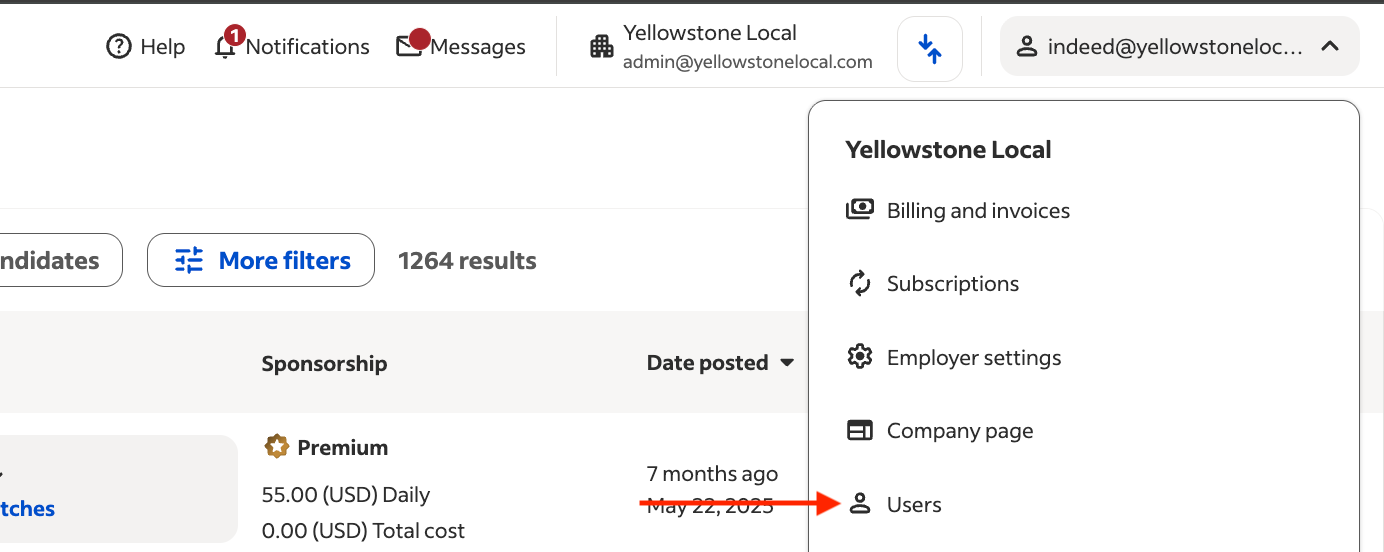
- In the upper right corner, click on your email address

- Click on Users
- Click the blue button that says Add Users
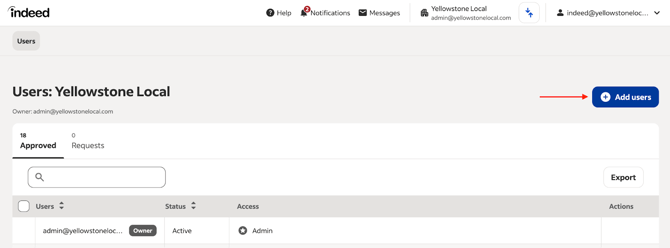
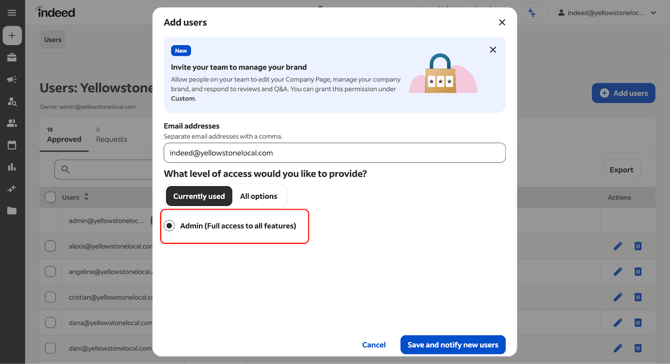
- Add our email indeed@yellowstonelocal.com, and give our user Admin access
- Click Save and notify new users.
Additional Resources
You can also refer to the YouTube video linked here.